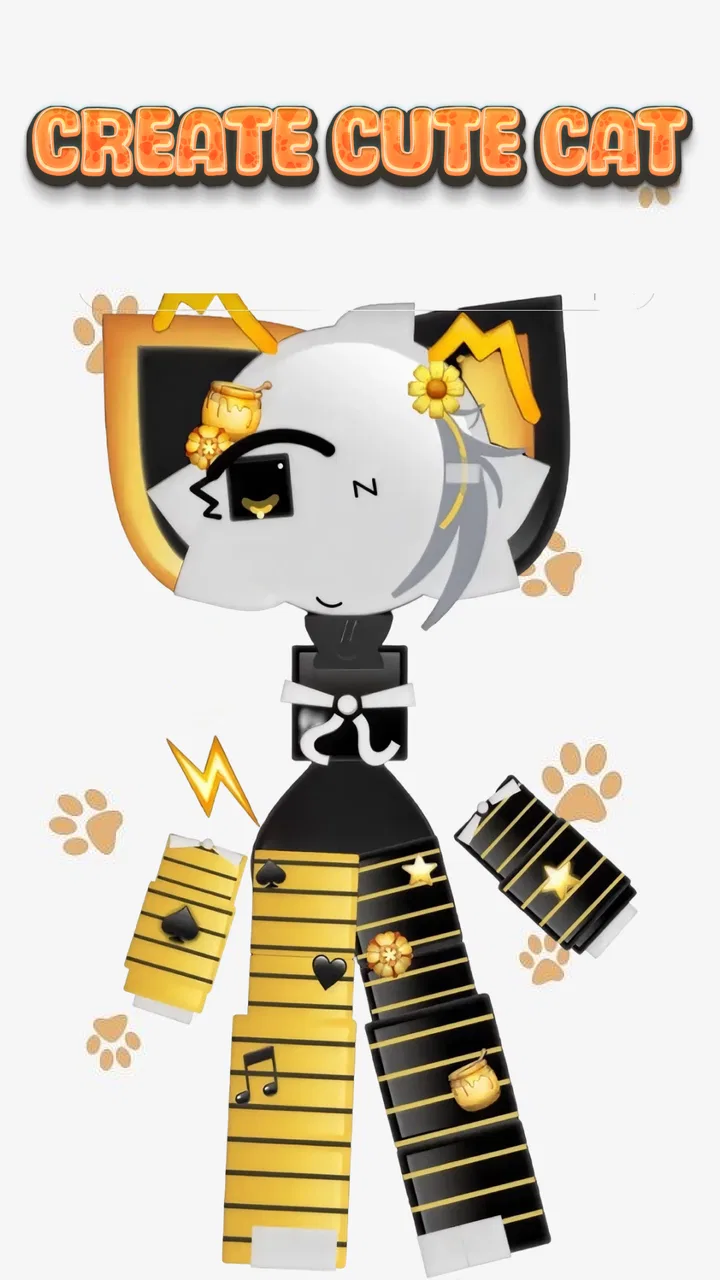
Emoji Cat Creator: PFP Maker
- 3.9
- Rating
- 1.00M
- Installs
- Free
- Price

 Analysis by App-foxy
Making a profile picture that feels personal usually takes more effort than it should. I installed Emoji Cat Creator: PFP Maker expecting a quick novelty tool, and that is exactly where it makes the most sense: creating a cute cat-themed image without opening a full drawing program or learning a complicated editor. Its central idea is simple, but useful. You build a cat emoji or avatar from ready-made visual choices, then turn that result into something suitable for a profile image, chat identity, or casual social post.
That focused approach is the app’s biggest strength. It is not trying to replace a serious illustration studio, and I would not choose it for detailed digital painting. Instead, it gives people a fast way to make a recognizable character with a playful look. The experience is especially appealing if you want an avatar that feels more individual than a standard selfie, but you do not want to spend an evening drawing one from scratch.
In the Art & Design category, the app occupies a friendly middle ground between a sticker maker and a basic avatar creator. It is free to use, carries an Everyone 10+ content rating, and comes from AthenaHotC. The current version is 1.1.3, and it works on Android starting with version 6.0. That combination makes it approachable for older phones as well as newer devices, although the visual experience naturally depends on the size and quality of your screen.
You May Also Like

 Blood Strike: 2.5 Anniversary
Blood Strike’s Loadouts Turn Every Drop Into a Tactical Gamble
A close look at Blood Strike’s custom loadouts: how fast access to signature weapons reshapes its battle royale rhythm, rewards preparation, and narrows the gap between fights.

 Pandora - Music & Podcasts
Pandora’s Music Is Easy to Start, but Harder to Recover
Pandora’s strength is its low-effort path from a seed to a station. Its weak spot is how much confidence it asks you to place in connection, setup, and quiet recovery.

 8 Ball Pool
 Is Built on Rivalries, Rematches, and Routine
A close look at the rivalries, rematches, shared routines, and unanswered safety questions that turn a quick pool match into a persistent mobile community.

 Samsung Music
’s Quiet Strength Is Playing What You Already Own
Its reach comes less from spectacle than from dependable access to a personal library. That simplicity is both the app’s strongest retention engine and its ceiling.

 AccuWeather: Weather Radar
AccuWeather Review: A Quick, Clear Forecast for Everyday Decisions
For everyday plans, the best forecast is the one you can understand quickly. AccuWeather makes rain timing, radar, and local conditions easy to act on, with a few trade-offs.

 Hill Climb Racing
Why Hill Climb Racing Still Turns Crashes Into One More Run
A tiny car, a bumpy hill and one more upgrade: Hill Climb Racing keeps resurfacing because its simple chaos makes every near-miss feel personal.
More From Our News Desk



Why the cat-building capability matters more than it first appears
The important feature here is not simply that the result is a cat. It is that the app turns identity into a small visual design exercise. A profile picture has to work at a tiny size, communicate a mood quickly, and remain pleasant after repeated use. A cat avatar is well suited to that job because its face can carry the personality while the overall shape stays easy to recognize.
When I used the creator, I found myself making decisions that would be easy to overlook in a conventional photo editor: whether the expression should look cheerful or calm, whether decorative details would remain visible when the image was reduced, and whether the final character looked distinctive enough to recognize in a busy chat list. Those choices are where the app becomes more than a random image generator. You are arranging a small visual identity.
The result is particularly effective for people who prefer a soft, illustrated presence online. It can feel less exposed than using a real photograph, while still giving friends something memorable to associate with you. For a gaming account, a hobby group, a messaging profile, or a secondary social account, that balance is practical. You get personality without needing to disclose your face.
The real payoff is speed with a personal touch. A generic emoji may be instantly available, but it does not necessarily feel like yours. A hand-drawn avatar can be more original, but the time and skill required are much higher. This creator sits between those options: the building blocks are prepared, yet the combination can still reflect your preferred mood and style.
Building an avatar without treating it like a design project
The workflow is intentionally approachable. I could think in terms of appearance rather than technical editing: choose a cat direction, adjust the visual identity, and check whether the pieces work together. That matters for younger users and for anyone who becomes frustrated by layers, brushes, timelines, or menus filled with unfamiliar controls.
A useful way to approach the editor is to decide on the avatar’s role before making choices. If it is going to be a profile image, prioritize a clear face and a strong silhouette. If it is intended more like a chat emoji, a funny expression or unusual combination may matter more than balance. If you want to use it as a personal marker across several accounts, choose a defining feature that remains visible even when the image appears very small.
I also recommend resisting the urge to add every appealing option immediately. Cute visual elements can compete with one another, especially in a compact square image. Start with the face and overall color impression, then add one or two details that support the character. This produces a cleaner result than covering the cat with decorations simply because they are available.
That is one of the less obvious lessons of using this app: customization does not automatically equal clarity. A profile picture is viewed at different sizes and often against changing backgrounds. A design that looks charming full-screen may lose its expression when reduced. I found it more useful to pause after each major change and imagine the avatar as a small circle rather than judging it only at editing size.
What the experience feels like in everyday use
The app is best understood as a quick creative break. I can imagine opening it while waiting for a friend, making an avatar for a new group chat, and finishing before the moment has passed. The low-pressure format encourages experimentation because there is no expectation that the result must be professional. You can try an amusing combination, decide it is not right, and start again without having invested much time.
For a realistic everyday scenario, consider someone joining an online book club. They may not want to use a personal photograph, and a plain initial icon feels forgettable. A cat avatar with a calm expression and a small bookish visual cue can give the account a friendly identity without making the profile look overly formal. The same person could later create a more energetic version for a gaming group, using the creator as a way to separate different online spaces.
Parents may also find the concept appealing for children who want a profile image but are not ready to share a real portrait. The age rating of Everyone 10+ is a useful signal about the intended general audience, though adults should still guide younger users on where profile images are shared and what personal information should remain private. The app can help with creative self-expression, but it does not replace sensible online habits.
Another practical use is temporary identity. Perhaps you are attending an event, participating in a themed community, or creating an account that you do not expect to keep permanently. Drawing a custom image would be excessive for that situation. A cat creator gives you something more deliberate than a default icon, while keeping the process light enough that you do not feel tied to the design forever.
Small decisions that improve the finished profile picture
I got better results by treating the first attempt as a sketch rather than the final answer. Make a version with the simplest combination, then ask what is missing. Often the answer is not another accessory; it is a clearer expression or a stronger contrast between the cat and its surroundings. This approach also makes the avatar easier to recognize in notification lists and small account menus.
It helps to choose a consistent visual idea. A playful cat can use a lively expression and a bolder mix of details, while a relaxed character benefits from fewer competing elements. If you are designing an image for a professional-adjacent community, restraint is valuable. The app’s cute style remains present, but the result can look intentional rather than childish.
I would also keep a mental distinction between an avatar and an emoji. An avatar needs to represent you repeatedly, so it benefits from a stable appearance. An emoji can be more exaggerated because it is used to express one moment or reaction. If you use the same design for both purposes, decide whether recognition or humor is more important. That choice changes how much experimentation the final image can tolerate.
These are not advanced drawing techniques, but they are meaningful trade-offs. The app gives you accessible ingredients; the quality of the outcome depends on editing judgment. In my experience, the strongest creations were not the most crowded ones. They were the ones where the face, mood, and one memorable detail worked together.
Where it compares well with ordinary alternatives
Compared with using a selfie, this app offers privacy and a more deliberately playful identity. A photograph can communicate who you are immediately, but it also exposes more of you than some communities require. A cat avatar is less personal in a literal sense, yet it can be more comfortable for casual groups and public-facing profiles.
Compared with a standard emoji keyboard, the creator offers more ownership over the final look. A keyboard emoji is convenient when you need a reaction in a conversation, but it is not designed to represent one person consistently. Here, the value comes from making a character that can become associated with you.
Compared with a full illustration app, the advantage is speed and simplicity. Professional drawing tools provide control over every line, color, and texture, but that control comes with a learning curve. If your goal is a polished original illustration, a proper drawing app remains the better choice. If your goal is a charming profile image in a short session, that extra control may only slow you down.
It also differs from general-purpose photo editors. Those tools are stronger when you want to crop, retouch, add text, or combine photographs. This creator is more focused on character construction. I would not install it expecting a complete image-editing workspace. I would install it when the cat itself is the point.
The trade-offs behind the cute, focused design
The same focus that makes the app easy to use also limits its range. You are working within a cat-centered visual language, so people who want realistic portraits, abstract artwork, full scenes, or precise illustration control will outgrow it quickly. The app can help you make a particular kind of image; it is not a flexible canvas for every kind of creative project.
There is also a difference between customization and originality. Selecting from prepared visual elements can produce a personal combination, but it will not offer the same uniqueness as drawing every feature yourself. If you need a brand mark, a commissioned-style character, or an avatar that precisely matches a fictional design, a custom illustration workflow would be more appropriate.
The simplicity can create another limitation: experienced designers may find the process too constrained. Someone accustomed to arranging layers, tuning colors precisely, or controlling proportions may want more freedom than a casual creator provides. For that audience, the app is better as a source of quick ideas than as a final production tool.
I would also be careful about judging the app solely by its store popularity. It has passed one million installs and holds a 4.0 average from roughly three thousand seven hundred ratings, with 145 written reviews. Those figures suggest that many people find the concept useful, but they do not guarantee that every user will enjoy the same level of flexibility. The right question is whether you want a fast cat avatar, not whether it can replace every other art app.
The free price makes trying it low risk, which suits this kind of lightweight creative tool. Still, free access does not change the basic trade-off: convenience comes from working inside a predefined concept. If you dislike that concept, the absence of a purchase cost will not make the editor more suitable for you.
Who will get the most from it
I would recommend it first to people who want a friendly, non-photographic profile image and enjoy making small visual choices. It is a good match for casual creators, younger users within the stated age guidance, cat fans, and anyone who wants an avatar for messaging or community accounts without learning a complex design program.
It is also useful for people who need several identities with different moods. You might want a relaxed cat for family conversations, a more energetic one for a hobby group, and a humorous version for a private chat. Because the designs are quick to make, changing your image feels like a creative refresh rather than a major project.
People who should skip it are those looking for realistic portrait tools, professional branding, detailed digital painting, or broad image manipulation. If you need to edit photographs, make posters, draw from a blank canvas, or export a carefully controlled illustration, another app in the Art & Design category will serve you better. This one earns its place through focus, not breadth.
The developer, AthenaHotC, has positioned the experience around a very clear idea: make a cute cat identity quickly. That clarity is helpful because I never felt pushed to treat the app as something more complicated than it is. The version I reviewed, 1.1.3, supports the same straightforward appeal on devices running Android 6.0 or later, making it accessible to users who are not carrying the newest phone.
My recommendation after using it
Emoji Cat Creator: PFP Maker works best when you approach it as a focused avatar workshop rather than a complete art suite. Its strongest capability is the ability to turn a few simple choices into a cat character that feels more personal than a stock emoji and less exposed than a real photo. That is a narrow purpose, but it is a genuinely useful one.
I especially like it for quick profile changes, private or casual online spaces, and small creative sessions where the goal is enjoyment rather than technical perfection. The most satisfying results come from keeping the design readable, choosing a clear mood, and remembering that a profile image will often be seen much smaller than it appears while editing.
My final view is positive, with a clear condition: install it if the cat-centered style matches what you want. You will probably appreciate the low barrier, the playful identity-building, and the ability to produce something usable without drawing skills. If you need complete artistic control or a broader editing toolbox, choose a dedicated illustration or photo app instead. For everyone in between, this is a charming way to make a profile picture that feels intentionally yours.
FAQs for Emoji Cat Creator: PFP Maker
01What is Emoji Cat Creator: PFP Maker?
Emoji Cat Creator: PFP Maker is a fun and creative app that allows users to design custom cat-themed emoji avatars. You can personalize your profile pictures with a variety of cat expressions, accessories, and backgrounds, making it perfect for social media or messaging apps.
02Is Emoji Cat Creator: PFP Maker free to use?
Yes, Emoji Cat Creator: PFP Maker is free to download and offers a range of basic features at no cost. However, there are in-app purchases available that provide additional customization options and premium features for users who want more variety and creativity.
03How user-friendly is the app interface?
The app is designed with simplicity in mind, making it highly user-friendly. Its intuitive interface allows users of all ages to easily navigate through the customization options and create unique emoji cats without any technical expertise or prior experience.
04Can I share my creations directly from the app?
Absolutely! Emoji Cat Creator: PFP Maker enables you to share your created emojis directly to social media platforms, messaging apps, or save them to your device. This seamless sharing feature makes it easy to show off your personalized creations to friends and family.
05Is Emoji Cat Creator available for both Android and iOS devices?
Yes, Emoji Cat Creator: PFP Maker is available for download on both Android and iOS platforms. You can find it on the Google Play Store for Android devices and the Apple App Store for iOS, ensuring accessibility for a wide range of smartphone users.
Pros
- Easy to use interface for quick edits.
- Wide variety of emojis and stickers.
- Customizable backgrounds and themes.
- No watermark on saved creations.
- Fast export options to social media.
Cons
- Limited free version features.
- In-app ads can be intrusive.
- No offline mode available.
- Requires account for certain features.
- Occasional app crashes on older devices.

Emoji Cat Creator: PFP Maker
Gallery